
Installation
Please note that the .exe file is not an installer file. The software only consists of the .exe file and will not create an installation directory on the "Windows®" drive. The configuration of the software is stored in the Windows® registry.
-
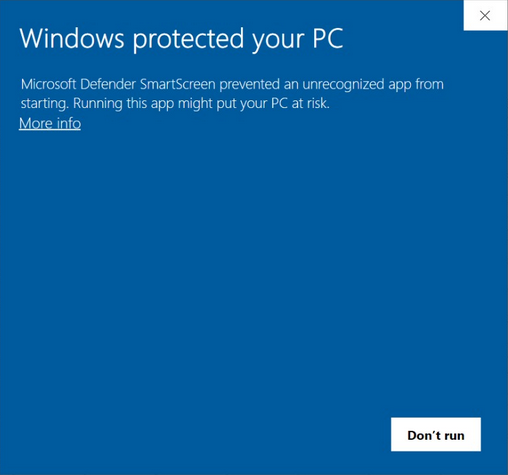
After downloading, run the "IP-Video.exe" file. Under Windows® 10 you may receive the following security warning:
-
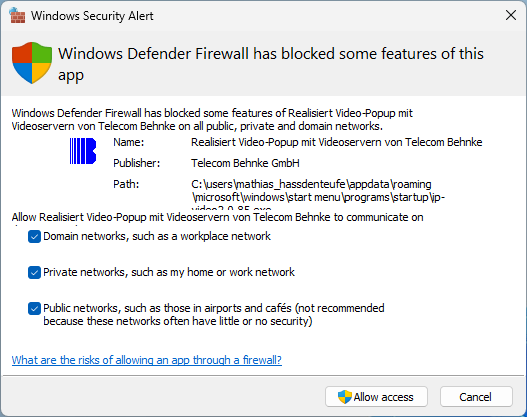
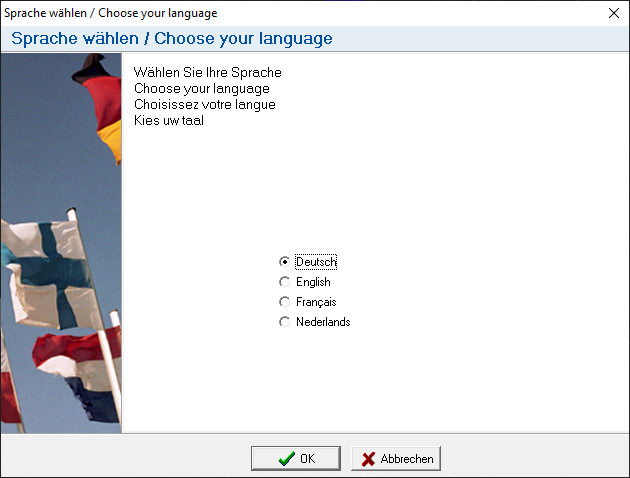
Click "More info", and then click "Run anyway". The Windows® firewall may also ask for an exception for the software. In this case check all the boxes in the corresponding information window and add the exception. Next, the language selection for the software opens:
-
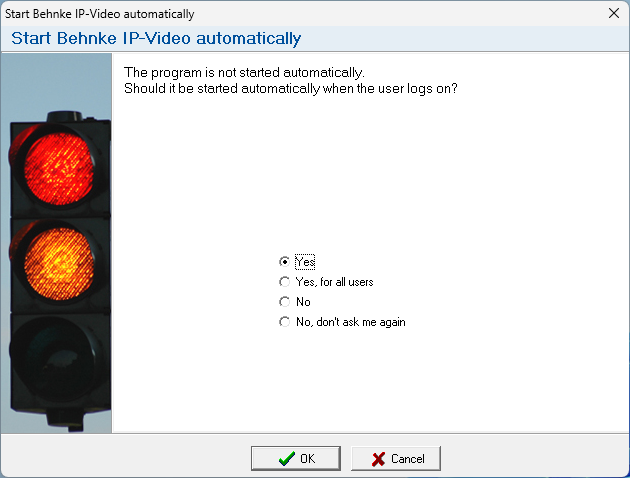
Select your preferred language and confirm with "OK". The dialog for the start-up options appears:
-
Here you have following options:
- "Yes": The software is saved in the start-up apps directory of the currently logged in user. No admin rights are required. The software will be started when the current user logs on to the system.
- "Yes, for all users": The software is saved to in the start-up apps directories of all users of the computer. Whenever a user logs on to this computer, the software is started automatically. Admin rights are required so that the software can be copied to other users' start-up apps directories.
- "No": The software is not saved to the start-up apps directory. The software must be launched manually from the location you chose. The next time you start the software, the dialog for the start-up options will be shown again.
- "No, don't ask me again": The software is not saved in the start-up apps directory. The software must be launched manually from the location you chose. The dialog for the start-up options will no longer be displayed when starting.
WARNING:Please note that the software does not create an installation directory on the "Windows®" drive. The software consists only of the .exe file, which, depending on the start-up option, can be found either in the start-up apps directory or in the storage location you have selected. The software settings are stored in the Windows® registry. -
Clicking on "OK" accepts the selection and opens the configuration dialog.


